Re: Aion Script Cpu % use.
Posted: Wed Dec 27, 2017 2:53 am
Hmmm... the interesting part is that 32bit client takes more CPU than the 64bit. But this must have something to do with the fact Vanilla allows me to run the client smooth even int he background, but it also allows me to change my fps as much as I want, like 20fps so that really lowers the CPU consumption by a LOT.
Just opening 7 clients on my pc took the CPU to 100% and sometimes it was falling but then it was raising high. And thst is on idle, nothing moving or scripting, just sitting there in the background.
When I run the 64 bit and run a fixed lowering of fps with vanilla, I can open 8 clients and be as low as 70% CPU. And usually they run a script.
But by deleting the extensions AS took less than 4% usually, which does serve the job.
I got A-0rank in all of them except one that I got S-rank, the problem is that the char takes the boss to the canon area too early and ends up losing the agro and the boss demolishes the front barricate.
I tried luna with 5 clients + 5 AS obviously and my CPU was at 75%, that means I can go to 6 easily. Maybe inside luna my clitnes get less CPU so who knows maybe 7 clients is possible.
~~~~~~~~~~~~
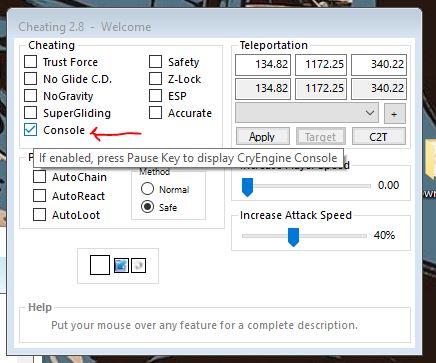
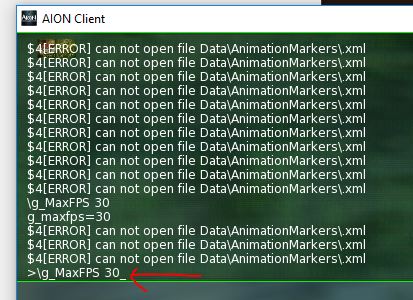
Is there a way to change the fps via AS like we do in Vanilla?
Just opening 7 clients on my pc took the CPU to 100% and sometimes it was falling but then it was raising high. And thst is on idle, nothing moving or scripting, just sitting there in the background.
When I run the 64 bit and run a fixed lowering of fps with vanilla, I can open 8 clients and be as low as 70% CPU. And usually they run a script.
But by deleting the extensions AS took less than 4% usually, which does serve the job.
I got A-0rank in all of them except one that I got S-rank, the problem is that the char takes the boss to the canon area too early and ends up losing the agro and the boss demolishes the front barricate.
I tried luna with 5 clients + 5 AS obviously and my CPU was at 75%, that means I can go to 6 easily. Maybe inside luna my clitnes get less CPU so who knows maybe 7 clients is possible.
~~~~~~~~~~~~
Is there a way to change the fps via AS like we do in Vanilla?